“Had a raid 0 array (windows storage pool) (failed 2tb Seagate, and a working 1tb wd blue) recovered last year, it was much cheaper than the $1500 to $3500 Canadian dollars i was quoted by a Canadian data recovery service. the price while expensive was a comparatively reasonable $900USD (about $1100 CAD at the time). they had very good communication with me about the status of my recovery and were extremely professional. the drive they sent back was Very well packaged. I would 100% have a drive recovered by them again if i ever needed to again.”
RAID Data Recovery for RAID 0, 1, 5, 6, 10, and 60 Arrays
We recover failed arrays with an image-first workflow: member-by-member imaging, offline reconstruction, and recovery from the clone. Free evaluation. No data = no charge.


What RAID Recovery Customers Say
“HIGHLIGHT & CONCLUSION ******Overall I'm having a good experience with this store because they have great customer services, best third party replacement parts, justify price for those replacement parts, short estimate waiting time to fix the device, 1 year warranty, and good prediction of pricing and the device life conditions whether it can fix it or not.”
“Didn't *fix* my issue but a great experience. Shipped a drive from an old NAS whose board had failed. Rossmann Repair wanted to go straight for data extraction (~$600-900). Did some research on my own and discovered the file table was Linux based and asked if they could take a look. They said that their decision still stands and would only go straight for data recovery.”
“I've been following the YouTube tutorials since my family and I were in India on business. My son spilled Geteraid on my keyboard and my computer wouldn't come on after I opened it and cleaned it, laying it upside down for a week. To make the story short I took my computer to the shop while I'm in New York on business and did charged me $45.00 for a rush assessment.”
What Is RAID Data Recovery and When Is It Needed?
RAID data recovery is the process of extracting files from a failed or degraded disk array by imaging each member drive independently and reconstructing the stripe pattern, parity data, and filesystem metadata offline, without writing to the original drives.
- A RAID array distributes data across multiple member drives using striping (RAID 0), mirroring (RAID 1), or parity (RAID 5/6). When one or more members fail beyond the array's tolerance, the volume becomes inaccessible.
- Common triggers include degraded arrays left running until a second member fails, controller firmware corruption, accidental volume reinitialization, and NAS devices reporting "Volume Crashed" or "Storage Pool Degraded."
- Recovery requires member-by-member imaging through write-blocked channels, RAID parameter detection (stripe size, parity rotation, member order), and virtual reassembly from cloned images using tools like PC-3000 RAID Edition.
- The majority of RAID recovery work is logical: software-based array reconstruction that reads cloned images without opening any drive. Physical intervention is only needed when individual members have mechanical damage.
What Symptoms Indicate a RAID Array Needs Professional Recovery?
RAID failure symptoms range from degraded status warnings and inaccessible shared folders to clicking drives and stuck rebuilds. The correct response to every symptom is the same: stop all write activity, power down the array, and avoid forced rebuilds or reinitialization.
- Degraded array
- Do not force a rebuild on failing members; this can destroy parity and metadata. Power down and stop writes.
- Volume crashed / Uninitialized
- A crashed storage pool on a Linux-based NAS and an uninitialized array in Windows Disk Management share the same danger: accepting prompts to format, repair, or recreate the volume actively overwrites the partition superblocks and critical array metadata.
- Multiple disk errors
- Avoid swapping order or repeated hot-plugs. Label drives and preserve original order.
- Clicking/slow members
- Do not keep power-cycling; heads may be weak. Each cycle risks surface damage.
- Accidental re-sync / rebuild started
- Power down immediately to limit data being permanently overwritten by parity recalculation. We can often salvage from remaining members.
- Encrypted volumes
- Have keys/passwords available. We keep data offline and under chain-of-custody during work.
If your controller reports a degraded state, read our guide on how to safely troubleshoot a degraded RAID array. If a rebuild has already failed, see what to do after a failed RAID rebuild.
RAID 5 arrays are the most frequent casualty of forced rebuilds because single-parity tolerance leaves zero margin for a second read failure during resync. See the specific failure sequence when a RAID 5 rebuild fails for details on parity corruption patterns.
Important: Any write activity (rebuilds, "repairs", new shares) can overwrite recoverable data. Power down and contact us.
RAID Symptom Finder
Select the symptom that best describes your situation to see what recovery involves and what it costs per member drive.
Select the symptom that matches your RAID array
Each symptom points to a different failure type, recovery method, and cost range.
How Do We Recover Data from a Failed RAID Array?
We recover RAID arrays using a six-step image-first workflow: document the configuration, clone each member through write-blocked channels with PC-3000 and DeepSpar imaging hardware, capture RAID metadata, reconstruct the array offline from images, extract files, and deliver verified data.
- Free evaluation and diagnostic: Document NAS model, RAID level, member count, encryption status, and any prior rebuild or repair attempts. No experiments run on original drives.
- Write-blocked forensic imaging: Clone each member drive using PC-3000 RAID Edition and DeepSpar hardware with head-maps and conservative retry settings. Donor part transplants are performed for members with mechanical failures before imaging begins.
- Metadata capture: Copy RAID headers and superblocks. Record stripe sizes, parity rotation, member offsets, and filesystem type (ZFS, Btrfs, mdadm, EXT4, XFS, NTFS).
- Offline array reconstruction: Assemble the virtual array from cloned images only. Validate parity consistency and filesystem integrity across the reconstructed volume. No data is written to original drives at any point.
- Filesystem extraction and recovery: Rebuild or correct the filesystem on the clone, carve fragmented files where needed, and verify priority data such as shared folders, virtual machines, and databases.
- Delivery and purge: Copy recovered data to your target media, verify file integrity with you, and securely purge all working copies on request.
What Is the Difference Between RAID Repair and RAID Data Recovery?
"RAID repair" and "RAID data recovery" describe two different operations. RAID repair is what an IT administrator does to restore hardware redundancy on a live, degraded array. RAID data recovery is what happens after repair fails, the volume crashes, and data must be extracted offline from cloned member images.
| Attribute | RAID Repair | RAID Data Recovery |
|---|---|---|
| Goal | Restore hardware redundancy on a live, running server. | Extract files offline after the array crosses its parity threshold. |
| Method | In-place rebuild writing new parity to a replacement drive. | Write-blocked imaging of each member, then virtual assembly from clones. |
| Risk to Data | High. A second member failure during rebuild destroys parity. | None. Original drives are never written to. |
| When to Use | Single member failure with all other members healthy and verified. | After rebuild fails, volume crashes, or multiple members are down. |
When a single member drops out of a RAID 5 or RAID 6 array, the controller marks the array as degraded but continues serving data using parity calculations. An administrator can attempt a repair by replacing the failed member and triggering a rebuild. If the rebuild completes without additional failures, the array returns to a healthy state with full redundancy restored.
The problem: attempting a rebuild on an array with a second weakening member forces the controller to read every sector of every surviving drive. If another drive develops read errors during that process, the rebuild fails and the array crosses its parity threshold. At that point, administrative repair tools can no longer reconstruct the volume, and the data requires professional offline recovery from write-blocked member images.
Recovery Software on Physically Failing RAID Members
Do not connect a physically failing RAID member to a consumer PC and run recovery software. If the drive has a degraded head stack assembly, the block-by-block reading required by software scans will drag failing heads across the platter surface, scoring the magnetic coating and making professional recovery impossible. Software recovery tools assume the storage hardware is mechanically sound; they have no mechanism to detect or work around a physical head failure.
Safe recovery requires imaging the drive through hardware write-blockers with conservative retry settings. PC-3000 and DeepSpar imagers can skip unreadable sectors, build head maps to avoid damaged regions, and clone the accessible data without writing a single byte to the original drive. Only after all members are safely imaged does array reconstruction begin.
TRIM, UNMAP, and SMR Complications in RAID Arrays
SSD-based RAID arrays (NVMe or SATA SSD members in RAID 0, 5, or 10) introduce a recovery obstacle that spinning-disk arrays do not have. When a volume is deleted or formatted at the controller level, modern RAID controllers pass TRIM or UNMAP commands to every SSD member simultaneously. Once TRIM clears the NAND flash translation layer allocations, the underlying data blocks become unreadable regardless of whether the magnetic equivalent would have survived. If an SSD RAID volume is accidentally deleted, power the array down before the controller's garbage collection completes the TRIM operation.
Shingled Magnetic Recording (SMR) hard drives present a different problem. SMR drives write data in overlapping tracks and use a persistent write cache that the drive firmware manages autonomously. During a RAID rebuild, the sustained sequential writes required for parity recalculation overwhelm the SMR zone management, causing drive-level timeouts that the RAID controller interprets as a second member failure. Arrays built with consumer-grade SMR drives (common in 2 TB to 8 TB desktop drives) fail rebuilds at rates far higher than enterprise CMR drives of the same capacity.
How Does Hardware RAID Controller Metadata Affect Recovery?
Hardware RAID controllers store array configuration data in proprietary on-disk formats that standard recovery software cannot interpret. Software RAID implementations (Linux mdadm, ZFS, Btrfs) use well-documented, open metadata structures. Hardware controllers from Dell (PERC), HP (Smart Array), LSI/Broadcom (MegaRAID), and Adaptec do not.
- Dell PERC / LSI Broadcom (SNIA DDF Metadata)
- Dell PERC and LSI/Broadcom MegaRAID controllers write SNIA Disk Data Format (DDF) metadata to a reserved region at the end of each member drive. This records stripe size, parity rotation, member ordering, and spare assignments. When the original controller fails or its firmware becomes corrupted, the array becomes inaccessible even though the data on each member is intact. We image each member through write-blocked channels, parse the DDF headers from the tail of each drive image using PC-3000 RAID Edition, and reconstruct the array offline without the original controller.
- Adaptec SmartROC (Leading-Sector Metadata)
- Adaptec controllers write proprietary metadata starting at absolute sector zero, the opposite of the Dell/LSI convention. Accidental partition initialization or OS-level formatting overwrites the first sectors of a disk, which destroys Adaptec metadata but often leaves Dell/LSI DDF configurations recoverable. PC-3000 RAID Edition includes parsers for both formats; we check DDF headers at end-of-disk first, then scan for Adaptec leading-sector metadata if DDF is absent.
- Corrupted or Missing Controller Metadata
- When controller metadata is destroyed or the original hardware is unavailable, PC-3000 detects RAID parameters by analyzing data continuity patterns across member images. It tests common stripe sizes (64 KB, 128 KB, 256 KB) and parity rotations until a configuration produces valid filesystem structures (superblock checksums, inode table consistency).
How Does RAID Metadata Preservation Enable Virtual Array Reconstruction?
Every RAID recovery begins with the same step: clone all member drives through write-blocked channels before any assembly is attempted. The original drives are never connected to the RAID controller or any system that could trigger a rebuild, resync, or parity recalculation. All reconstruction happens offline, on cloned images, using PC-3000 RAID Edition to virtually assemble the array.
- Virtual array reconstruction: Mount cloned images as virtual block devices, apply detected RAID parameters, and present the volume as a read-only filesystem.
- Stripe size detection via hex analysis: Locate MFT record headers or ZFS uberblocks across member images to calculate stripe size and confirm member ordering.
- Interactive Detection Mode: PC-3000 Data Extractor tests candidate stripe sizes and parity rotations, scoring each by filesystem validity until the correct configuration emerges.
- Manual Reed-Solomon editing (RAID 6): Define P and Q parity block indices and row-shift parameters for non-standard parity rotation schemes when automated detection fails.
Virtual Array Reconstruction vs. Physical Rebuild
A physical RAID rebuild writes new data to the original drives. If a second member is degraded, the rebuild fails partway through and overwrites existing parity with partial recalculations. Virtual reconstruction reads cloned images without writing to any drive. PC-3000 Data Extractor mounts the images as virtual block devices, applies the detected RAID parameters (stripe size, parity rotation, member ordering), and presents the reconstructed volume as a read-only filesystem. If the parameters are wrong, the virtual assembly is discarded and retested. No data is destroyed during parameter detection.
Stripe Size Detection via Hex Analysis
When controller metadata is destroyed or the original controller hardware is unavailable, we determine stripe size by analyzing raw member images in a hex editor. For NTFS volumes, we search for MFT record headers (the FILE0 magic value at the start of each Master File Table entry) across multiple member images. By measuring the byte offset between sequential MFT entries on different members, we calculate the stripe size (commonly 64 KB, 128 KB, or 256 KB) and confirm member ordering. For ZFS pools, we locate uberblock copies at known offsets to establish vdev membership and transaction group sequence.
PC-3000 Data Extractor Interactive Detection Mode
After manual hex analysis narrows the parameter range, PC-3000 Data Extractor's Interactive Detection Mode automates the verification. This mode tests candidate stripe sizes and parity rotations against the cloned images, scoring each configuration by filesystem validity (superblock checksums, inode table consistency, directory tree coherence). When the correct parameters produce a valid filesystem structure across the full volume, the virtual array is locked and file extraction begins. For non-standard parity rotations (left-synchronous, right-asynchronous, or vendor-specific patterns), Interactive Detection Mode iterates through all known rotation algorithms until a coherent stripe map emerges.
Manual Reed-Solomon Sequence Editing for RAID 6 Parity
When automated parameter detection fails on severely damaged RAID 6 arrays, PC-3000 RAID Edition provides manual Reed-Solomon sequence editing. RAID 6 computes two independent parity blocks (P and Q) using Reed-Solomon algebra. When both the controller metadata and filesystem anchors are destroyed, automated detection cannot determine the P and Q block positions within each stripe. We manually define the parity block indices and apply row-shift parameters to account for non-standard parity rotation schemes. This allows reconstruction of arrays where the original controller used proprietary or uncommon left-asynchronous parity distributions that automated tools cannot detect.
HBA IT Mode Passthrough and Metadata Offset Variations
Hardware RAID controllers intercept all disk I/O through their Integrated RAID (IR) firmware, preventing direct access to raw member data. To image individual members, we connect each drive to a Host Bus Adapter (HBA) flashed to Initiator Target (IT) mode, which exposes the raw block device without any controller abstraction. This is required for both SAS and SATA members behind enterprise controllers.
Different controller families store array metadata at different physical locations. LSI/Broadcom and Dell PERC controllers write SNIA Disk Data Format (DDF) metadata to a reserved region at the end of each member drive. Adaptec SmartROC controllers write proprietary metadata starting at absolute sector zero. This distinction matters: accidental partition initialization or OS-level formatting overwrites the first sectors of a disk, which destroys Adaptec metadata but often leaves Dell/LSI DDF configurations recoverable. When we image members from MegaRAID arrays that have dropped offline, we check DDF headers at end-of-disk first, then scan for Adaptec leading-sector metadata if DDF is absent.
Can Data Be Recovered from RAID Arrays with File Table Corruption or Ransomware?
File table corruption and ransomware are two different failure modes that require different recovery approaches. Non-cryptographic corruption (accidental format, partition table overwrite, filesystem driver crash) destroys the file system map but leaves the underlying user data intact on the platters. Ransomware encrypts the actual file payloads, making data recovery tools ineffective against the encryption itself.
File Table Corruption Without Encryption
When the Master File Table (NTFS), ext4 superblocks, or XFS allocation group headers are destroyed by accidental reformatting, partition table overwrites, or driver-level corruption, the file system map is gone but the raw user data remains on the member drives. After imaging all members through write-blocked channels, we use PC-3000 Data Extractor's RAW recovery mode to scan the hex data for known file signatures (headers and footers for common formats like DOCX, PDF, PST, VMDK, SQL MDF). For unfragmented files, RAW carving produces complete results. For fragmented structures such as SQL databases or Exchange EDB files, we use the Object map mode to correlate fragment locations across stripe boundaries. Success depends on data fragmentation; heavily fragmented files may be partially unrecoverable because RAW carving cannot reconstruct the original allocation chain.
Ransomware on RAID Arrays
Ransomware encrypts user file payloads using AES or RSA, not just filesystem metadata. Data recovery tools cannot decrypt ransomware-encrypted files; RAW carving on encrypted data yields ciphertext, not usable files. Recovery from a ransomware attack depends on three factors: whether the encryption process was interrupted before completing all files, whether offline backups survived the attack, and whether the volume-level encryption keys (BitLocker, LUKS) remain intact. We image all members through write-blocked channels and reconstruct the array to assess which files were encrypted and which survived. Partially encrypted arrays (where the ransomware was interrupted mid-execution) can yield recoverable data from the unencrypted portions.
Accidental Formatting: Controller Initialization vs. OS-Level Format
Recoverability after an accidental format depends on how it was executed. A high-level format performed within the operating system (quick-formatting an NTFS volume in Windows or ext4 in Linux) overwrites filesystem metadata but leaves raw file payloads intact in unallocated space. Using PC-3000 Data Extractor, we carve these file signatures from cloned array images.
A low-level initialization executed from the RAID controller BIOS (labeled "Full Initialization" or "Clear") writes zeroes across every physical block of every member drive. If the controller completes this process, the original data is permanently gone. If you suspect an initialization has started, sever power to the array immediately to halt the zero-fill; partial recovery from unwritten sectors may still be possible.
What Are the Most Common Controller-Specific RAID Recovery Traps?
Each RAID controller family has firmware behaviors that turn routine failures into data-destroying events when administrators follow the default prompts. The three patterns below account for the majority of "we made it worse" cases that arrive at our lab.
- Dell PERC H730/H740: Stale Foreign Drive Import Corruption
When a PERC controller sees a drive whose metadata timestamp differs from its NVRAM record, it labels that drive "Foreign." The BIOS utility offers "Import Foreign Config" or "Clear Foreign Config." If the foreign drive is actually a stale member that dropped out weeks ago, importing it forces the controller to resync the array backward, overwriting current data with outdated blocks across every stripe that changed while the drive was absent.
We image all members first, then inspect DDF/COD metadata headers in a hex editor to identify which drive carries the latest epoch before any assembly decision is made. This takes 30 minutes and prevents the most common cause of PERC array destruction.
- HP SmartArray P440ar: Smart Storage Battery Failure (Error 313)
HP Gen9 servers with the P440ar controller have a documented failure pattern where Smart Storage Battery degradation (POST Error 313) permanently disables the write cache. The controller firmware (pre-v6.60) sets a persistent flag that survives battery replacement. Symptoms range from volumes becoming read-only to complete inaccessibility when the cache held unflushed writes at the time of failure.
When dirty cache data is trapped, we power the cache module independently of the server using hardware emulators to flush the pending writes. Firmware v6.60+ resolves the persistent disable flag, but does not recover data already stuck in the cache.
- Linux mdadm: Superblock Version and Offset Confusion
mdadm supports four metadata versions (0.90, 1.0, 1.1, 1.2), each placing the superblock at a different offset. Version 0.90 writes to a 64 KB-aligned block near the end of the disk (not at the absolute end). Version 1.0 writes 8 KB from the end. Versions 1.1 and 1.2 write at the beginning, at offsets 0 and 4 KB respectively. When an administrator runs
mdadm --zero-superblockon the wrong offset or reassembles with the wrong metadata version, the array parameters are lost.We scan for ext4 or XFS magic bytes to calculate the exact data start offset, then force assembly with the correct metadata version. For cases where superblocks are fully zeroed, we determine stripe size and member ordering from filesystem anchor points and assemble the array from images using calculated parameters.
Why Running CHKDSK or fsck on a Degraded RAID Array Destroys Data
CHKDSK and fsck are filesystem consistency tools, not data recovery tools. They force the Master File Table (NTFS) or inode tables (ext4/XFS) to match what the storage layer currently reports. On a healthy single disk, that is safe. On a degraded array serving corrupt or shifted data due to a failed member or incomplete rebuild, the storage layer itself is lying.
When CHKDSK runs against a volume where parity is desynchronized, it reads corrupted data (produced by XOR calculations with missing or stale member contributions), treats that output as ground truth, and rewrites MFT records to match. Orphaned file entries are truncated. Cross-linked clusters are resolved by deleting one reference. The result: file pointers that previously led to intact data on healthy members are permanently overwritten to point at garbage parity output.
The same applies to fsck on Linux arrays. If an mdadm or ZFS pool is in a degraded state, fsck will "repair" the filesystem metadata based on incorrect reads, severing directory trees and inode chains. Once these writes land on the surviving members, the original metadata is gone. We image all members through write-blocked channels before any filesystem-level tool touches the volume.
How Do You Recover NVMe Drives Behind a Dell PERC H965i Controller?
Dell PowerEdge Gen 15, 16, and 17 servers equipped with the PERC H965i controller present NVMe U.2 drives to the host operating system as standard SCSI devices (/dev/sd*), not native NVMe block devices (/dev/nvme*). The Broadcom MPI3 interface abstracts the NVMe protocol behind a hardware translation layer, and there is no true HBA pass-through mode for NVMe members.
This abstraction layer creates two recovery obstacles. First, standard NVMe diagnostic tools (nvme-cli, smartctl -d nvme) can't communicate with the drives through the PERC controller because the SCSI translation hides the native NVMe command set. Second, when the controller flags a Foreign Configuration, the standard "Import Foreign Config" or "Clear" options operate through the same SCSI abstraction, giving no direct access to the SNIA DDF metadata stored at the tail end of each U.2 drive.
We disconnect the U.2 NVMe drives from the PERC controller and connect them directly to a PCIe adapter card (U.2-to-PCIe x4) in a workstation. This exposes the native NVMe block device, allowing PC-3000 NVMe to image the raw drive content and read the DDF metadata from the reserved sectors at end-of-disk. Once all members are imaged through this direct connection, we use PC-3000 RAID Edition to parse the DDF headers and reconstruct the array offline.
Where Does Physical RAID Member Drive Work Happen?
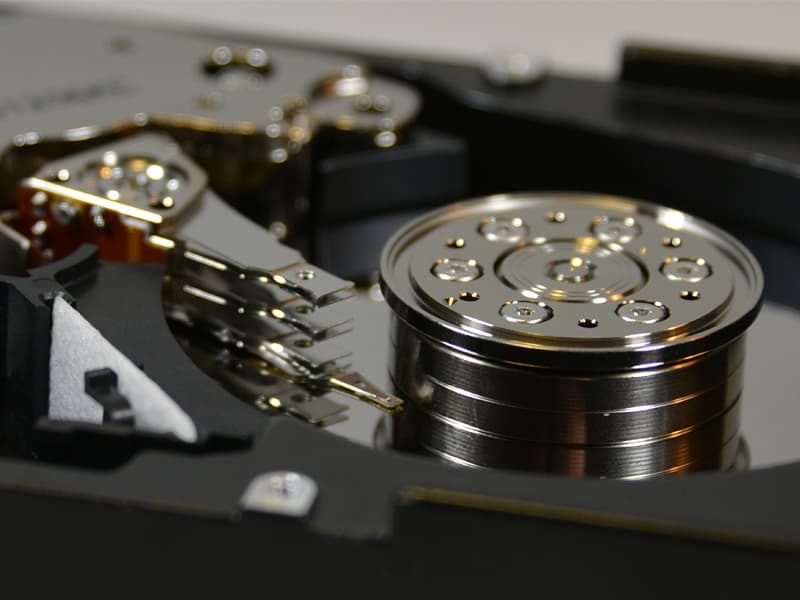
Most RAID recovery is logical: cloned images reconstructed in software. When individual members require physical work, open-drive procedures happen on a Purair VLF-48 laminar-flow clean bench with 0.02 µm ULPA filtration, achieving localized ISO 14644-1 Class 4 conditions. Particle counts are verified with a TSI P-Trak 8525 Ultrafine Particle Counter before each session.
- Environment
- Purair VLF-48 laminar-flow clean bench. A continuous vertical curtain of ULPA-filtered air pushes contaminants down and away from the work surface. Particle counts verified with a TSI P-Trak 8525 Ultrafine Particle Counter before each session.
- Filtration
- 0.02 µm ULPA filtration rated at 99.999% efficiency for particles 0.1-0.3 µm. That is 15x finer than the 0.3 µm HEPA filters used in ISO 14644-1 Class 5 clean rooms. A room-scale clean room is not required for safe open-drive work; localized laminar flow achieves equivalent or better particle control at the drive.
- Standard
- ISO 14644-1 Class 4 equivalent conditions at the work surface. Contamination control where it matters: directly above the exposed platters during head swaps, platter stabilization, and motor work.
- Post-Repair Workflow
- After mechanical repair, the drive connects to PC-3000 or DeepSpar imaging hardware for write-blocked cloning. Only after successful imaging does the cloned data enter the software-based array reconstruction pipeline. For RAID arrays where all members read without mechanical issues, no open-drive work is needed.
How Do Helium-Sealed Enterprise Drives Affect RAID Recovery?
Enterprise RAID arrays built with helium-sealed drives (Seagate Exos, WD Ultrastar HC, Toshiba MG series) require a different mechanical recovery approach than standard air-filled drives. Helium's lower density reduces aerodynamic drag on the platters, allowing manufacturers to fit 8 to 10 platters in a standard 3.5" enclosure.
When a helium drive fails mechanically and the hermetic seal is compromised during open-drive work, the internal environment changes from helium to ambient air. The increased air density raises aerodynamic drag on the closely spaced platters, causing read instability that worsens over time as the drive operates. Head swaps on helium drives must account for this constraint: after opening the drive on our 0.02 µm ULPA-filtered clean bench, the imaging window is limited. We use PC-3000 with targeted sector extraction to prioritize critical filesystem metadata and allocation tables before imaging the full platter surface.
In RAID arrays, a single helium drive requiring mechanical hard drive recovery does not block the rest of the reconstruction. We image the healthy members first, begin virtual array assembly, and integrate the helium drive's data as it becomes available. Helium drive recovery carries additional donor sourcing costs due to the sealed chamber design and model-specific head stack requirements.
How Does Board-Level Repair Increase RAID Recovery Success Rates?
Rossmann Group performs component-level logic board repair on individual RAID member drives, including fixing burned PCBs and microscopic trace restorations. This capability directly increases RAID array recovery rates because competitors who cannot repair electrically damaged boards write off those members as unrecoverable, leaving the array incomplete.
- A RAID 5 array that has lost two members is typically unrecoverable. If one of those members failed due to a power surge that burned a TVS diode, motor driver, or preamplifier circuit on the PCB, board-level repair can restore that drive to a readable state, bringing the array back within its fault tolerance.
- The mechanism: when a TVS diode shorts or a motor driver IC fails, the drive becomes electrically unresponsive. The RAID controller marks it as a failed member and drops it from the array. If a second member then fails mechanically while the electrically dead drive sits offline, the array crosses its parity threshold. But the first drive's platters and heads are often undamaged; only the board-level electronics prevent it from being read.
- Labs that cannot perform board repair treat electrically failed drives as permanent losses, no different in outcome from a platter-scored drive. By replacing the specific failed component at the IC level, we restore the drive's ability to communicate with imaging hardware. The platter data, never physically damaged, becomes accessible again. This reduces the actual member failure count back within the array's parity tolerance, allowing reconstruction to proceed.
- We diagnose PCB-level failures using diode-mode measurements, thermal imaging, and microscope inspection. Failed components are identified and replaced at the individual IC level, not by swapping entire donor boards (which often fails due to firmware and adaptive data mismatches).
- Trace damage from electrical events is repaired under microscope using micro-soldering and jumper wires. This restores signal paths between the controller, preamplifier, and motor driver without disturbing the drive's original firmware calibration data stored in ROM.
- After PCB repair, the drive is imaged through write-blocked channels using PC-3000 hardware before entering the array reconstruction workflow. The repair serves one purpose: making the member readable so its data can be cloned and contributed to the virtual array rebuild.
- This is where Rossmann Group's board repair background directly benefits RAID recovery. The same micro-soldering skills used on MacBook logic boards apply to hard drive PCB restoration.
How Much Does RAID Data Recovery Cost?
RAID recovery at Rossmann Group uses a two-tiered pricing model: a per-member imaging fee for each drive in the array, plus an array reconstruction fee of $400-$800. If we recover nothing, you pay $0. No diagnostic fees, no obligation.
| RAID Failure Type | Estimated Cost Per Member Drive | Recovery Workflow |
|---|---|---|
| Logical / Firmware Imaging | $250-$900 | Filesystem corruption, firmware module damage requiring PC-3000 terminal access, SMART threshold failures preventing normal reads. |
| Mechanical (Head Swap / Motor) | $1,200-$1,50050% deposit | Donor parts consumed during transplant. Head swaps and platter work performed on a validated laminar-flow bench before write-blocked cloning with DeepSpar. |
| Array Reconstruction | $400-$800per array | Depends on RAID level, member count, filesystem type (ZFS, Btrfs, mdadm, EXT4, XFS, NTFS), and whether parameters must be detected from raw data. PC-3000 RAID Edition performs parameter detection and virtual assembly from cloned images. |
No Data = No Charge: If we recover nothing from your array, you owe $0. Free evaluation, no obligation.
Multi-drive discounts: When multiple drives in the same array need the same type of work, per-drive pricing is discounted. We quote the array as a package, not as isolated single-drive jobs multiplied together.
We sign NDAs for enterprise data. We are not HIPAA certified and do not sign BAAs.
Why Choose Rossmann Group for RAID and NAS Recovery?
Rossmann Group combines PC-3000 RAID Edition, DeepSpar imaging hardware, and component-level board repair in a single Austin lab. You communicate directly with the engineer performing the recovery, not a sales team or call center script.
Image-first, offline reconstruction
We never rebuild risky arrays in place. Everything is assembled from clones for safety.
PC-3000 and DeepSpar tooling
PC-3000/DeepSpar imaging, HBA passthrough, mdadm/ZFS/Btrfs understanding, R-Studio/UFS Explorer.
Transparent pricing
Clear ranges by member count and condition. If it's easier than expected, you pay less.
Direct engineer access
Straight answers from the person doing the work; no scripts, no sales middlemen.
No evaluation fees
Free estimate and honest likelihood of success before paid work begins.
No data, no charge
If we can't recover usable data, you owe $0 (optional return shipping).
Which RAID Levels and Filesystems Do We Support?
We recover RAID 0, 1, 5, 6, 10, 50, and 60 arrays across mdadm, ZFS, Btrfs, and proprietary NAS formats from Synology, QNAP, Buffalo, Drobo, and enterprise SAN controllers. Supported filesystems include EXT4, XFS, NTFS, Btrfs, and ZFS.
For enterprise environments running Dell PowerEdge, HP ProLiant, or IBM servers with dedicated RAID controllers, see our enterprise server data recovery services.
- RAID 0 Recovery
- Striped arrays with zero redundancy. Every drive must be imaged; our board-level repair makes that possible when others can't.
- RAID 1 Recovery
- Mirrored arrays where a single healthy drive contains all your data. We resolve split-brain and sync failures.
- RAID 5 Recovery
- Single-parity arrays vulnerable to rebuild failures. We reconstruct parity offline without risking your data.
- RAID 6 Recovery
- Dual-parity arrays that survive two drive failures. We handle the complex P and Q parity reconstruction.
- RAID 10 Recovery
- Nested stripe-of-mirrors used in enterprise environments. Recovery depends on which mirror pairs failed.
- RAID 50 Recovery
- Striped RAID 5 sub-arrays. Recovery requires span identification, per-span parity reconstruction, and cross-span stripe reassembly.
- RAID 60 Recovery
- Striped RAID 6 sub-arrays for enterprise servers with 8-24+ drives. Multi-span dual-parity reconstruction.
SAN, DAS, and Software-Defined Storage Recovery
Beyond hardware RAID controllers, enterprise data centers deploy Storage Area Networks (SAN), Direct-Attached Storage (DAS), and Software-Defined Storage (SDS) architectures. SAN environments using iSCSI or Fibre Channel map Logical Unit Numbers (LUNs) across multi-tiered RAID 50 or RAID 60 arrays. When a SAN enclosure fails, recovery requires both the physical reconstruction of the underlying stripe sets and the logical translation of the LUN mapping to extract the target datastores.
Software-Defined Storage removes the hardware controller entirely, relying on the operating system to manage parity and striping. We perform logical reverse-engineering for failed SDS implementations, including Windows Storage Spaces, Windows Dynamic Disks, and Linux-based logical volume managers. In all cases, the protocol remains strictly read-only: member drives are cloned via hardware write-blockers, and the SDS cluster map is reconstructed virtually from the images.
How Do We Recover NAS Architectures Like Synology SHR, Btrfs, and LVM?
Consumer and enterprise NAS devices from Synology, QNAP, and similar vendors do not use standard hardware RAID. They layer a customized Linux distribution over md-raid, wrap it in a Logical Volume Manager (LVM), and format the volumes with btrfs or ext4. Recovery requires parsing each of these layers independently.
Synology Hybrid RAID (SHR) is a proprietary implementation built on top of standard Linux md-raid. It allows mixed-capacity drives by creating multiple md-raid arrays and combining them under LVM. When a Synology NAS reports "Volume Crashed" or "Storage Pool Degraded," the failure can originate at the md-raid layer (member dropout, superblock corruption), the LVM layer (metadata table damage, logical volume deactivation), or the btrfs filesystem layer (tree root corruption, chunk allocation errors). Each failure requires a different recovery path.
We extract the drives from the NAS chassis, connect them directly to SATA ports via HBA passthrough, and image each member through PC-3000 hardware. PC-3000 Data Extractor RAID Edition parses the LVM metadata structures from the cloned images, identifies the logical volume boundaries, and reconstructs the btrfs or ext4 filesystem from the virtual volume. When LVM metadata is damaged, the tool scans for residual LVM headers across each member image to rebuild the volume group map.
SSD cache and flash pools on NAS: If your NAS used an SSD read-write cache or a pure flash storage pool, accidental volume deletion or factory reset triggers the TRIM command across every SSD member. Once TRIM clears the NAND flash translation layer, the data blocks become unreadable. Power down the NAS before the garbage collection cycle completes.
VMware ESXi and VMFS Datastore Recovery
Enterprise environments running VMware ESXi store virtual machines on VMFS (Virtual Machine File System) datastores, which themselves sit on top of a RAID volume. When the underlying array fails, recovery requires navigating nested storage layers: physical RAID stripe reconstruction, then VMFS volume parsing, then flat .vmdk extraction, and finally the guest operating system's filesystem (NTFS, ext4, XFS) inside each virtual disk.
Consumer recovery software fails at this task because it cannot traverse the RAID-to-VMFS-to-VMDK chain. After imaging all members through write-blocked channels and reconstructing the RAID offline, we use PC-3000 Data Extractor to mount the VMFS datastore directly from the cloned images, locate each flat .vmdk file, and extract the internal guest filesystem without requiring the original ESXi hypervisor to boot. The same workflow applies to Hyper-V .vhdx files and Proxmox .qcow2 images stored on ZFS pools.
What Happens When a Synology NVMe SSD Cache Fails?
Synology NAS devices that use NVMe SSDs as read-write cache drives pin critical BTRFS metadata directly on the flash cache. If the cache SSD degrades or suffers an unexpected power loss, the storage pool crashes due to BTRFS chunk root corruption, not a simple cache miss.
Standard open-source recovery tools fail here. Running btrfs rescue chunk-recover against a Synology volume with a failed NVMe cache returns incomplete or corrupt chunk trees because the proprietary flashcache implementation stores allocation metadata that the tool can't reconstruct from on-disk residuals alone. The volume reports "crashed" in DSM, and standard reassembly paths (remounting with ro,rescue=all) often fail to locate valid tree roots.
We image all members and the failed NVMe cache drive through write-blocked channels, then use PC-3000 Data Extractor to reconstruct the LVM and BTRFS layers without relying on the proprietary cache metadata. When the cache SSD is physically unreadable (controller lockout or NAND degradation), we extract residual chunk allocation data from the surviving member drives and rebuild the filesystem map from those anchors.
Power down the NAS immediately if the cache SSD fails. Synology's background scrub processes can overwrite residual cache metadata on the member drives, reducing recovery options with every minute the system stays online.
Recovering Proprietary Virtualized Arrays: Drobo BeyondRAID
Drobo BeyondRAID systems abstract physical disks into a virtualized storage pool using thin provisioning and proprietary block allocation. Standard mdadm or ZFS recovery tools fail on BeyondRAID because the array geometry is not stored in any open metadata format. Recovery requires locating the proprietary packet allocation table and virtual disk descriptors on each member drive, then mapping how data packets are distributed across mixed-capacity members.
We image all NAS members through write-blocked channels and use specialized RAID recovery software to parse the BeyondRAID metadata structures from the raw member images. The packet allocation table defines which physical blocks on each drive correspond to which virtual addresses in the storage pool. Once this mapping is reconstructed, we extract files from the virtualized volume without needing the original Drobo chassis or its proprietary firmware.
Where Is the Lab and How Does Mail-In RAID Recovery Work?
All RAID recovery work is performed in-house at our lab: 2410 San Antonio Street, Austin, TX 78705. Walk-in evaluations are available Monday - Friday, 10 AM - 6 PM CT. For clients outside Austin, we accept mail-in shipments from all 50 states. Your drives stay in our lab under chain-of-custody from intake through delivery.
Secure Mail-In from Anywhere in the US
1 Business Day
FedEx Priority Overnight delivers to Austin by 10:30 AM the next business day from most US addresses.
- New York City 1 Business Day
- Los Angeles 1 Business Day
- Chicago 1 Business Day
- Seattle 1 Business Day
- Denver 1 Business Day
Fully Insured
Use FedEx Declared Value to cover hardware costs. We return your original drive and recovered data on new media.
Packaging Standards
- ✓Use the box-in-box method: float a small box inside a larger box with 2 inches of bubble wrap.
- ✓Wrap the bare drive in an anti-static bag to prevent electrical damage.
- ✗Do not use packing peanuts. They compress during transit and allow heavy drives to strike the edge of the box.
How We Handle Your Drives
Enterprise arrays contain business-critical data. Every drive that enters our lab follows the same custody protocol, whether it is a single consumer drive or a 24-member server array.
Intake
Diagnosis
Recovery
Return
Data Recovery Standards & Verification
Our Austin lab operates on a transparency-first model. We use industry-standard recovery tools, including PC-3000 and DeepSpar, combined with strict environmental controls to make sure your hard drive is handled safely and properly. This approach allows us to serve clients nationwide with consistent technical standards.
Open-drive work is performed in a ULPA-filtered laminar-flow bench, validated to 0.02 µm particle count, verified using TSI P-Trak instrumentation.
Transparent History
Serving clients nationwide via mail-in service since 2008. Our lead engineer holds PC-3000 and HEX Akademia certifications for hard drive firmware repair and mechanical recovery.
Media Coverage
Our repair work has been covered by The Wall Street Journal and Business Insider, with CBC News reporting on our pricing transparency. Louis Rossmann has testified in Right to Repair hearings in multiple states and founded the Repair Preservation Group.
Aligned Incentives
Our "No Data, No Charge" policy means we assume the risk of the recovery attempt, not the client.
Technical Oversight
Louis Rossmann
Louis Rossmann's well trained staff review our lab protocols to ensure technical accuracy and honest service. Since 2008, his focus has been on clear technical communication and accurate diagnostics rather than sales-driven explanations.
We believe in proving standards rather than just stating them. We use TSI P-Trak instrumentation to verify that clean-air benchmarks are met before any drive is opened.
See our clean bench validation data and particle test videoCommon Questions; Real Answers
Can you recover a Synology or QNAP that says "Volume crashed"?
Should I try a RAID rebuild if it's degraded?
Two drives failed in my RAID-5. Is there any chance?
How long does RAID data recovery take?
Do you need my entire NAS chassis?
How is RAID recovery priced?
Can you sign an NDA for confidential data?
What is the true cost of RAID data recovery?
What determines the success rate of RAID recovery?
Why did my Adaptec array show 'Build/Verify Failed', and is the data lost?
Why is RAID 6 dual-parity reconstruction more complex than RAID 5?
Can data be recovered after a RAID controller was accidentally reconfigured or re-initialized?
Why do consumer SMR drives fail during RAID rebuilds?
How do you determine which drive failed first in a RAID 5 array with two failed members?
Can a RAID be recovered if the SSD members report 0 bytes capacity after a firmware panic?
Need Recovery for Other Devices?
Linux software RAID missing superblock
RAIDZ1/2/3, TrueNAS, Proxmox, OpenZFS
Synology, QNAP, Buffalo NAS
Dell, HP, IBM enterprise servers
G-RAID, G-SPEED Shuttle with Areca controller
Windows Storage Spaces and S2D pool reconstruction
Mechanical HDD recovery
Ready to recover your array?
Free evaluation. No data = no charge. Mail-in from anywhere in the U.S.