
Data Recovery Education
Why Does Data Recovery Cost $800 When Recuva Is Free?
Because your drive's firmware crashed, and no consumer software can fix that. PC-3000 is the hardware that sends commands your motherboard physically cannot send. This page explains what it is, how it works, and what it costs to operate.
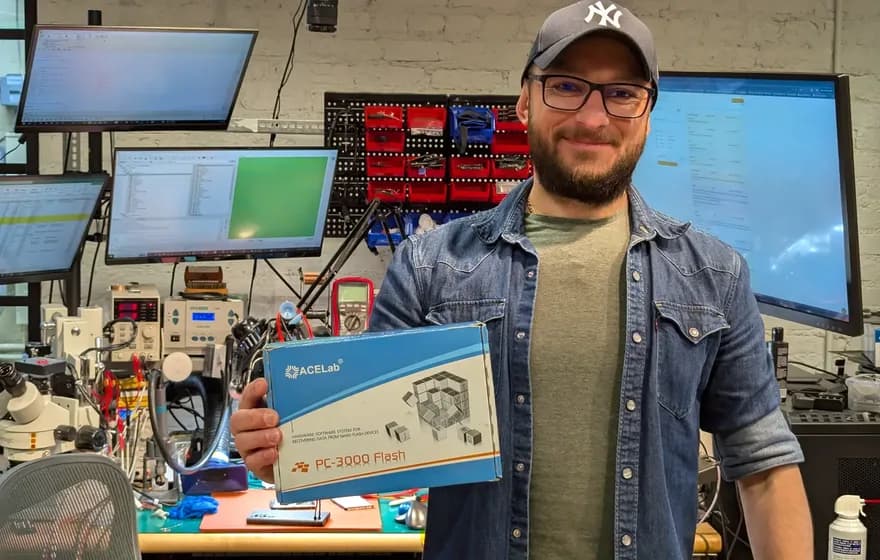
Our lead technician Chris with the PC-3000 Flash system

What Is PC-3000?
PC-3000 is a hardware and software system manufactured by ACE Laboratory in Russia (now operating from the EU). It consists of a PCI Express card, specialized cables, power control circuitry, and proprietary software that together allow a technician to communicate with hard drives at the firmware level.
The product line includes several variants: PC-3000 Express (the flagship 4-port PCIe card), PC-3000 UDMA (older 2-port version), PC-3000 Portable (laptop-based for on-site work), PC-3000 SAS (for enterprise SAS/SCSI drives), and PC-3000 Flash (for NAND chip-off recovery from SSDs and USB drives).
Each system pairs with Data Extractor, ACE Lab's imaging software that works alongside the hardware to read data from drives that would be inaccessible through normal means.
PC-3000 Product Line
- Express: 4-port PCIe, fastest imaging
- UDMA: 2-port, legacy but capable
- Portable: USB-based for field work
- SAS: Enterprise SAS/SCSI drives
- Flash: NAND chip-off, monolith devices
Why PC-3000 Exists: Vendor Specific Commands
The ATA specification (the protocol your computer uses to talk to hard drives) reserves command codes 0xC0 through 0xFF for "vendor specific" use. Each manufacturer uses these codes differently to access factory diagnostic modes, read and write firmware modules, and control low-level drive behavior.
Your motherboard's SATA controller blocks most of these commands. This is intentional; allowing arbitrary firmware writes would be a security risk and could brick drives. Consumer operating systems have no way to send them even if the controller allowed it.
PC-3000's hardware bypasses these restrictions. The PCIe card implements its own SATA controller with no filtering, and the software contains decades of reverse-engineered knowledge about what commands each drive family accepts. ACE Lab employs engineers who do nothing but analyze new drive families and add support to the software.
Factory Mode vs User Mode
Hard drives boot in "user mode" where they respond to standard read/write commands. PC-3000 can force drives into "factory mode" or "technological mode" where the firmware itself becomes accessible.
In factory mode, a technician can read diagnostic logs, modify firmware modules, rebuild corrupted translation tables, and bypass damaged components. None of this is possible through normal SATA communication.
How Hard Drive Firmware Works
Every modern hard drive contains an embedded computer running proprietary firmware. This firmware lives in three locations, each with different failure modes. As Gillware explains in their firmware overview, the firmware zone stores calibration data, defect lists, and translation information unique to each individual drive.
ROM Chip (PCB)
A small flash chip on the circuit board containing boot code and drive-specific calibration parameters called "adaptives." If the PCB dies, these adaptives must be transferred to a donor board or the drive will not initialize correctly.
Flash Memory
Some firmware modules load from flash memory on the PCB. This is faster to access than the platters but can become corrupted by power events or firmware bugs.
Service Area (Platters)
Reserved tracks on the platters themselves store the bulk of the firmware: translation tables, defect logs, SMART data, and head calibration. Corruption here often makes the drive undetectable through normal means.
Firmware Failures PC-3000 Addresses
These are specific firmware-level problems where PC-3000's vendor-specific command access is necessary. Each is well-documented in professional data recovery communities.
Seagate 7200.11/7200.12 BSY State
A firmware bug in certain Seagate drives causes the microprocessor to hang during initialization, leaving the drive in a permanent "busy" state. The platters spin, but the drive never becomes ready to accept commands.
PC-3000 connects to the drive's serial diagnostic port at 38400 baud, sends Ctrl+Z to reach the factory terminal (F3 T> prompt), and issues commands to clear the corrupted SMART data or rebuild the translator. The specific procedure varies by firmware revision.
Technical discussion: HDDGuru Forum: Seagate BSY fix procedures | MSFN Forum: The Solution for Seagate 7200.11 HDDs
Western Digital Slow Responding / Module 32 Corruption
Western Digital drives maintain a "relo-list" in firmware module 32 that tracks sectors needing reallocation. When this module fills or becomes corrupted, the drive slows to a crawl or stops responding entirely. A single photo transfer might take hours.
PC-3000 accesses the Service Area, backs up all firmware modules, clears the corrupted entries from module 32 (and sometimes module 02), and writes the repaired modules back. The drive then operates normally for imaging.
Technical discussion: HDD Oracle: Fixing the WD Slow Issue manually | HDDGuru Forum: Disable 411 and 02 module
Head Swap Adaptive Parameters
When a drive's read/write heads fail and require replacement from a donor drive, the new heads have different physical characteristics than the originals. Each head assembly is calibrated at the factory, and these calibration parameters ("adaptives") are stored in the ROM chip.
PC-3000 reads the adaptive parameters from the patient drive's ROM, extracts or calculates the necessary values, and writes adjusted parameters to work with the donor heads. Seagate calls these SAP/RAP/CAP; Western Digital stores them in module 47. Without this step, donor heads typically click or fail to track properly.
Technical discussion: Donor Drives: ACE Lab Partnership (adaptive parameters explained) | ACE Lab Forum: Official PC-3000 support
Translator Table Corruption
The translator converts logical block addresses (what your OS requests) to physical locations on the platters. When this table becomes corrupted, the drive may report 0 bytes capacity, show the wrong size, or appear completely uninitialized despite containing intact data.
PC-3000 can rebuild translator tables by scanning the physical media and reconstructing the logical-to-physical mapping. This is time-consuming but often recovers drives that otherwise appear empty.
Technical discussion: Datarecovery.com: Why is my hard drive showing wrong capacity | Teel Technologies: ACE Lab PC-3000 Training Curriculum
What PC-3000 Cannot Fix
PC-3000 is powerful, but it is not magic. These limitations are inherent to the technology.
Physical Platter Damage
If the magnetic coating is scratched, gouged, or delaminated, no firmware tool can recover data from those areas. PC-3000 can work around damaged regions, but it cannot read what is physically destroyed.
Hardware Encryption Without Keys
Self-encrypting drives (SEDs) and hardware-encrypted external drives store data encrypted on the platters. Without the encryption key (often tied to the original controller), the raw data is unreadable regardless of firmware access.
TRIM'd SSD Data
When an SSD receives a TRIM command, the controller may immediately erase the underlying flash cells. Unlike hard drives where deleted data persists until overwritten, TRIM'd data is often unrecoverable at the hardware level.
Unsupported Drive Families
ACE Lab continually adds support for new drives, but there is always a lag. Brand-new drive models, proprietary controllers (like some Apple configurations), and exotic enterprise drives may lack full support.
The Investment Behind Professional Recovery
Understanding why professional data recovery costs what it does starts with understanding the equipment and expertise required.
A PC-3000 Express system with Data Extractor starts around $15,000. Add the SAS module for enterprise drives, Flash module for SSDs, and you are past $30,000 before buying a single donor drive. Annual software updates run several thousand dollars.
Donor drives are consumables. Head swaps require exact-match donors; not just the same model, but often the same firmware revision, head map, and manufacturing site. A busy lab maintains thousands of donors, representing tens of thousands in inventory.
The learning curve is steep. Forum consensus suggests 18 months of daily use for basic proficiency, with 5-10 years for true expertise. The software assumes you understand hard drive architecture; it provides capabilities, not hand-holding.
Minimum Lab Investment
- PC-3000 Express: ~$15,000
- Data Extractor: Included or ~$3,000
- SAS Module: ~$5,000
- Flash Module: ~$8,000
- Clean Bench: $3,000-$10,000
- Donor Inventory: $10,000-$50,000+
- Training: $2,000-$5,000 per course
- Annual Updates: $2,000-$4,000/year
Total startup: $50,000 minimum. Serious labs invest $100,000+.
Frequently Asked Questions
Is PC-3000 the only professional data recovery tool?▼
No. DeepSpar makes the Disk Imager and related tools. Atola makes the Insight forensic imager. Dolphin Data Lab makes the DFL-DE. However, PC-3000 has the broadest drive family support and the largest user base among professional labs. Most serious data recovery operations use PC-3000 as their primary tool, sometimes supplemented by others.
Can I buy PC-3000 as an individual?▼
ACE Lab sells to businesses, not individuals, and requires proof of legitimate data recovery operations. Even if you could purchase one, the software assumes significant background knowledge. It is a professional tool, not consumer software.
What percentage of recoveries actually need PC-3000?▼
Working technicians estimate firmware-level intervention is required in roughly 15-20% of cases. The remaining 80-85% involve drives where the firmware initializes correctly but the data is logically damaged (deleted files, formatted partitions) or the media has bad sectors that can be worked around with standard imaging tools. PC-3000's value is in accessing drives that refuse to communicate normally.
Why is reverse-engineering drive firmware legal?▼
Reverse-engineering for interoperability and repair is generally protected under laws like the DMCA's interoperability exception and similar provisions in other jurisdictions. ACE Lab has operated for over 25 years. Data recovery is a legitimate service industry, and the tools exist to recover customer data, not to circumvent copy protection.
How does PC-3000 compare to free tools like ddrescue?▼
ddrescue is an excellent imaging tool for drives that respond to standard commands. It handles bad sectors intelligently and is the right tool when a drive mounts and identifies correctly. PC-3000 operates at a different layer; it addresses drives that will not even initialize normally. The two are complementary, not competing. Many professionals use ddrescue for healthy drives and reserve PC-3000 for firmware-level problems.
Our Recovery Services
We use PC-3000 Express alongside DeepSpar and clean bench facilities in our Austin lab. Same equipment as the big labs, direct technician communication, no evaluation fees.
View hard drive recovery services →DIY Recovery Guide
If your drive mounts and reads (even slowly), you may not need firmware-level tools. Our free ddrescue guide walks through imaging drives that still respond to standard commands.
Read the free DIY guide →Related Symptoms
Need professional recovery?
Free evaluation. No data, no charge. Mail-in from anywhere in the U.S.